


SHAREit: Transfer, Share Files
4.356.75K Reviews
App Specs
- Version
- 6.27.19_ww
- Updated On
- License
- Free
- Downloads
- 1,000,000,000+
- Developer
- Smart Media4U Technology Pte.Ltd.
- Categories
- Tools
- Platform
- Android, iOS
Screenshots
 Analysis by AppCompare
I find file-transfer apps most useful when a simple handoff turns into a small troubleshooting session: one phone sees the other, but the transfer will not start, or a large video seems to take longer than expected. SHAREit: Transfer, Share Files is built for moving files between nearby devices, and its appeal is easy to understand. Still, the smoothest experience depends on a few practical details, so I would treat it as a handy tool rather than a magic fix for every sharing problem.
Where a transfer can get stuck
The basic routine is simple: choose what to send, start a receiving session on the other device, and let the phones connect. In practice, the handoff can be less obvious if the recipient has not opened the app or is looking at a different screen. I recommend getting both people ready before selecting a large batch; it is easier to spot a connection issue with one small file than after waiting on a whole folder’s worth of content.
It also helps to distinguish a transfer problem from a file-selection problem. If a photo appears in the app but a document does not, check that you are browsing the right file category or location before restarting the connection. For a mixed batch, I usually send a few related items together rather than selecting everything at once. That makes it easier to confirm what arrived and to retry only the missing part.
Guides and Analysis on SHAREit: Transfer, Share Files
Check the basics before sending
SHAREit is a free tool from Smart Media4U Technology Pte.Ltd. Its current version is 6.26.78_ww, and it supports devices running Android 4.2 or later. The app is rated for Everyone, though the experience of using any file-sharing tool still calls for ordinary care: check the recipient and the items selected before sending. Its average rating is 4.3 from around 18 million ratings, and it has been installed over a billion times, which suggests that many people turn to it for this kind of quick handoff.
Before a transfer, I check that both devices have enough free storage for the incoming files and that each is ready to stay nearby until the job finishes. A nearly full phone can turn a successful connection into an incomplete handoff. If an older device is involved, confirm that it can run the app version available to it; mismatched or outdated installations can make the two-device setup less predictable.
Recover without starting from scratch
If a transfer stalls, I would first pause and check the receiving device rather than immediately selecting the files again. Look for an incomplete item, verify that the app is still open on both sides, and give the connection another moment. If it still does not move, return to the send-and-receive steps on each device and try a small test file. This narrows down whether the issue is the connection, the particular item, or available space.
For a large video or a batch of photos, splitting the job into smaller groups is a useful fallback. It limits the amount of work lost if one part fails and makes it easier to identify which item is causing trouble. I would also avoid switching repeatedly between unrelated screens during a transfer; keeping both devices focused on the handoff is a simple way to reduce avoidable interruptions.
Worth Reading Before You Choose

Basketball Stars: Multiplayer Is Fast, but Can It Recover When Matches Go Wrong?

WEBTOON Turns Phone Updates Into a Better Reading Routine

Link to Windows Runs on Shared Habits, Not Social Feeds

How Alibaba.com Dominates the B2B Marketplace

Metro's Quiet Rise: Redefining Mobile Communication

Harnessing Ecosystem Power with Phone Tracker by Number
When another route makes more sense
A direct nearby transfer is not the answer to every sharing need. If the recipient is elsewhere, a cloud-storage link or a messaging app is usually more practical because it does not require both devices to be together. For a single small file, the built-in sharing options on a phone may involve fewer steps. SHAREit makes more sense when the devices are close and the items are too numerous or bulky for an email attachment or a quick chat message.
I also would not use any transfer app as a substitute for a backup. Moving a file to another phone creates a copy only if the process completes and the recipient can open it; it does not by itself provide a reliable long-term archive. For important photos or work documents, confirm the received files before deleting the originals, and keep a separate backup if losing them would matter.
Seamless File Sharing
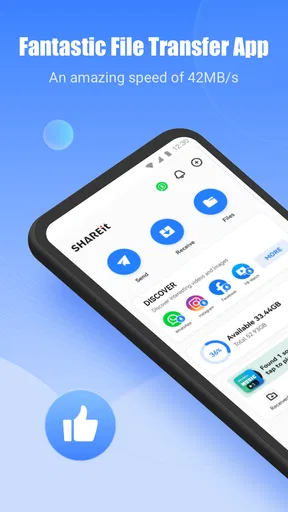
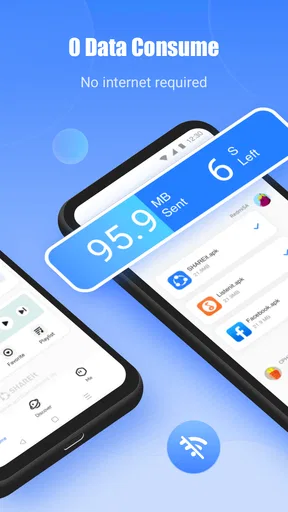
The first thing you'll notice when you open SHAREit is its straightforward interface. It's designed for people like us who just want to get things done without a fuss. You can send and receive files, photos, videos, music, and even apps with just a few taps. The best part? You don’t need an internet connection. Yes, you heard that right – no Wi-Fi, no problem!
How It Works
Using SHAREit is as simple as selecting the file you want to send and tapping the "Send" button. The app uses Wi-Fi Direct, which is faster than Bluetooth and doesn’t eat into your data plan. You can send files to multiple devices at once, which is a lifesaver if you’re the designated "tech person" in your group.
On the receiving end? Just tap "Receive," and you're set. Your device will automatically connect to the sender, and voilà, your files are on their way. It’s like having your own personal file delivery service.
Beyond File Sharing
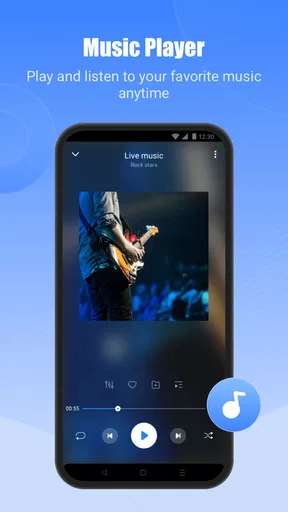
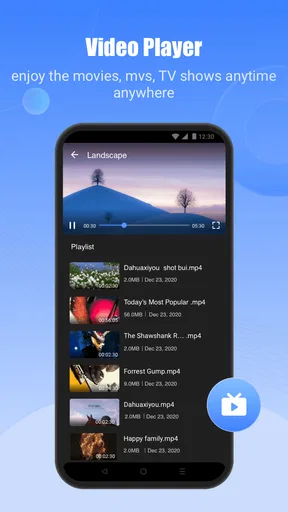
But wait, there's more! SHAREit isn’t just about moving files around. It also comes with a built-in media player, so you can watch videos and listen to music directly within the app. No need to switch between apps – everything you need is right there at your fingertips.
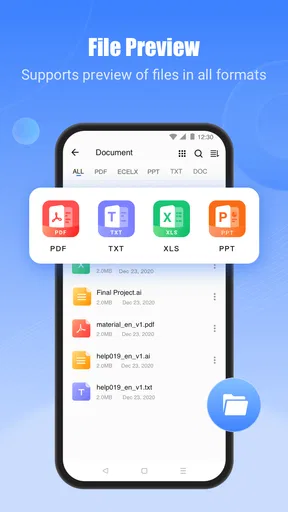
And for those who love a little extra, the app offers a series of additional features like a file manager, which helps you keep track of what you’ve shared. It's like having a Swiss Army knife for your digital life.
Security and Privacy
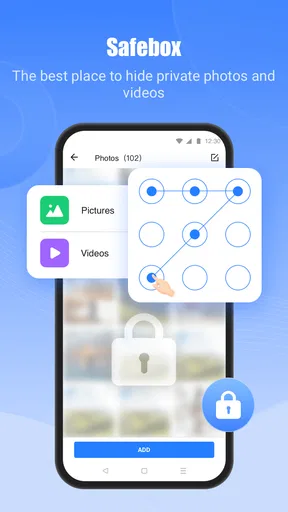
Now, I know what you're thinking: "Is it safe?" With SHAREit, your files are not only transferred quickly but securely. The app creates a direct connection between devices, ensuring your data doesn’t wander off into the digital ether. Plus, you have full control over who you share files with, so you can keep your private stuff, well, private.
Easy Peasy Setup
One of the things that makes SHAREit stand out is how easy it is to get started. Downloading and installing the app is a breeze, and setting up your profile takes no time at all. The app walks you through the process, so even if you’re not tech-savvy, you’ll have no trouble getting everything up and running.
Compatibility and Performance
Whether you’re team Android or team iOS, SHAREit has got you covered. It works seamlessly across platforms, so you can share files between your Android phone and iPad without breaking a sweat. The app is well-optimized, ensuring that your transfers are quick and the app runs smoothly without any hiccups.
Performance-wise, I’ve found that SHAREit gets the job done without any lag, even when transferring larger files. It’s a reliable workhorse that doesn’t let you down when you need it most.
A Few Tips
- Make sure both devices have the latest version of SHAREit. This ensures compatibility and the best performance.
- Keep an eye on your storage; the app can handle large files, but your device storage might not!
- Regularly check for updates to get the latest features and improvements.
Who gets the most from it
I would recommend SHAREit most to someone who regularly moves a collection of files between devices in the same room: a family sharing photos after an outing, a student passing class materials to a nearby tablet, or a colleague handing over a set of video clips for review. The benefit is less about a single document and more about avoiding the repeated attachment-and-download routine when there are several items to move.
Here is a realistic use case: after a weekend trip, a friend has several videos on one phone and wants copies on another before everyone heads home. Both people open the app, agree which device will send, and transfer a few files at a time. The sender can check the selected batch, while the recipient checks that the files arrived and open correctly. Doing this before anyone leaves is more dependable than assuming a transfer can be resumed later from memory.
Trade-offs against familiar options
Compared with Bluetooth, SHAREit is aimed at a more convenient handoff for larger collections, rather than slowly pairing and sending items one by one. Compared with email or messaging, it avoids turning a nearby transfer into a chain of attachments, but it requires the other person to be present and ready to receive. Cloud storage is better when people are in different places or need an accessible shared copy later; a cable can be preferable when you want a direct connection to a computer and do not want to coordinate two phones.
That distinction matters more than a blanket claim that one method is always best. I would pick SHAREit for a local batch transfer, a cloud service for distance and ongoing access, and a phone’s built-in share menu for a quick one-off item when it already offers the destination I need. The app’s built-in player and file manager add convenience after the handoff, but they do not replace a dedicated media library or a full backup workflow.
Useful habits for shared devices
When several people are trying to exchange files in one place, agree on the sender and recipient before anyone taps through the connection process. This small bit of coordination prevents people from choosing the wrong device or sending the same item twice. For a group handoff, I would also use clearly named folders or batches where possible, then ask each recipient to verify their own copy before the sender clears space.
Because the app can move personal photos, documents, and apps, I treat the receiving step as a moment to check the destination rather than a button to press automatically. Share only what you intend to share, and avoid accepting a transfer when you are not sure who initiated it. Those habits are useful with any nearby-sharing tool and are more practical than assuming that a direct connection makes every transfer private by default.
What the extra features are good for
The file manager is most useful as a way to review what is on the device and keep track of transferred items, not as a substitute for a carefully organized archive. After receiving a batch, I would use it to locate the files, then move or sort them with the tools that fit my normal system. That avoids leaving important items buried in a general transfer area where they may be hard to find later.
The media player can be handy when I want to check a received video or audio file immediately, without first opening another app. That quick check is more than a convenience: it lets the recipient catch a failed or unusable copy while the sender is still nearby. If I am managing a large personal music or video collection, though, I would still prefer the app I normally use for organizing and browsing that library.
What to expect from the app itself
SHAREit is free to install, with in-app purchases listed from about 19 cents to $7.99 per item. I would not treat that as a reason to buy anything before trying the core transfer workflow; first see whether it solves your actual nearby-sharing problem. The app has been available since April 28, 2013, and its 57,000 reviews sit alongside the much larger pool of ratings. Those figures show broad familiarity, but they do not guarantee that every device pairing or transfer will behave identically.
There is also a difference between being able to send a file and having a pleasant overall experience. If the app’s additional content or screens distract you from a simple transfer, you may prefer a more minimal built-in sharing tool for everyday one-item exchanges. I would keep SHAREit for the jobs where its direct handoff is useful rather than making it the default route for every file on my phone.
My practical verdict
Overall, SHAREit earns a place as an optional utility for people who often exchange files with nearby Android or iOS devices, especially when several photos, videos, or other items need to move together. Its broad reach and familiar send-and-receive approach make it approachable, while its extra media and file tools can help with checking what has arrived. The trade-off is that both sides need to be ready, and a failed handoff still calls for basic checks rather than blind retries.
If you mainly share links, send occasional small files, or need to transfer material to someone far away, I would choose the simpler option already built into your phone, a messaging service, or cloud storage. If you often find yourself passing batches between devices in person, this free tool is worth trying. I would use it with a little care: start with a test item when something feels off, confirm the received copy, and keep important originals until you know the handoff is complete.
At the end of the day, SHAREit: Transfer, Share Files is a must-have app for anyone who frequently shares files between devices. Its ease of use, speed, and additional features make it a standout choice in the sea of file-sharing apps. So, if you’re tired of emailing yourself files or fumbling with USB cables, give SHAREit a try. It might just become your new best friend.
Pros
- Fast file transfer without internet.
- Supports multiple file formats.
- User-friendly interface.
- Cross-platform compatibility.
- Built-in media player.
Cons
- Contains intrusive ads.
- Some privacy concerns.
- Occasional connectivity issues.
- Large app size.
- Frequent update prompts.
FAQs for SHAREit: Transfer, Share Files
What is SHAREit and how does it work?
SHAREit is a versatile file-sharing application that allows users to transfer files between devices without needing an internet connection. It uses Wi-Fi Direct technology to create a private network, enabling fast and secure sharing of photos, videos, music, and documents between Android, iOS, Windows, and Mac devices. Simply connect both devices to the same network within the app to start transferring files quickly and efficiently.
Is SHAREit free to use, and does it contain ads?
Yes, SHAREit is free to download and use. However, users should be aware that the app contains ads, which can sometimes be intrusive. These ads help keep the app free for users. There is currently no premium version available to remove ads, so users will need to tolerate them while using the application's features.
What file types can I transfer using SHAREit?
SHAREit supports a wide variety of file types, making it a versatile option for users. You can transfer photos, videos, music files, documents, apps, and even entire folders. The app also includes a built-in media player for viewing or listening to your transferred files directly within the app, enhancing its functionality beyond just file sharing.
Is SHAREit secure to use for transferring files?
SHAREit is generally considered secure for transferring files, as it uses direct device-to-device connections and does not require an internet connection. However, users should ensure they only connect with trusted devices to avoid potential security risks. The app does not encrypt files, so sensitive information should be handled with caution.
How fast is file transfer with SHAREit, and does it require an internet connection?
File transfer speeds with SHAREit can reach up to 20 MB/s, which is significantly faster than traditional Bluetooth transfers. The app does not require an internet connection for transfers, making it ideal for situations without Wi-Fi access. This speed and convenience are due to the use of Wi-Fi Direct technology, which connects devices directly.


